Arkheron’s Partner Servers
View on Steam (opens in a new tab)Looking For Group: Launching Arkheron’s Partner Servers
Find your community and play free November 30 - December 6
Our first Arkheron Partner Servers are getting ready for Early Access, and you and your friends are invited. These creators and gaming communities will be jumping into Arkheron together at launch, figuring out builds, finding teammates, and welcoming players who want to join them.
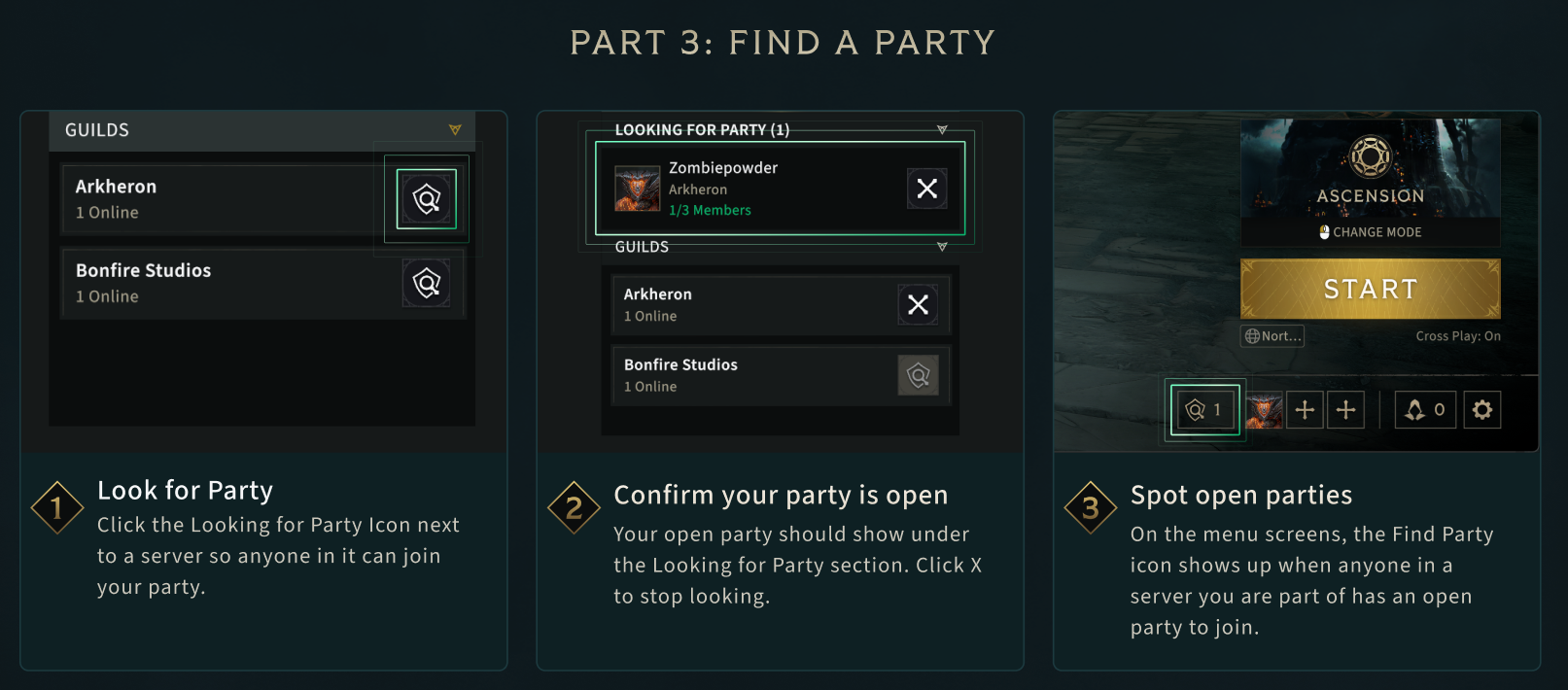
Last week, we introduced the program. Today, we’re sharing the participating servers and how to connect with them in-game. You can join communities that interest you, find open parties, and choose a server to represent in matches. And from November 30 through December 6, repping a participating Partner Server lets you keep playing for free after Opening Weekend.
Meet the communities
Maybe you already follow one of these creators but haven’t played with anyone from their Discord. Or you and your friends are looking for a larger group to learn Arkheron with. Our first partner servers are based around creator communities who are activating at launch, including Disguised Toast, HutchMF, and Aztecross. We’re adding more servers regularly, so make sure to check out the list here.
Connect your Discord Account
After you’ve joined some servers, you’re ready to connect them to Arkheron. Once you’re in-game:
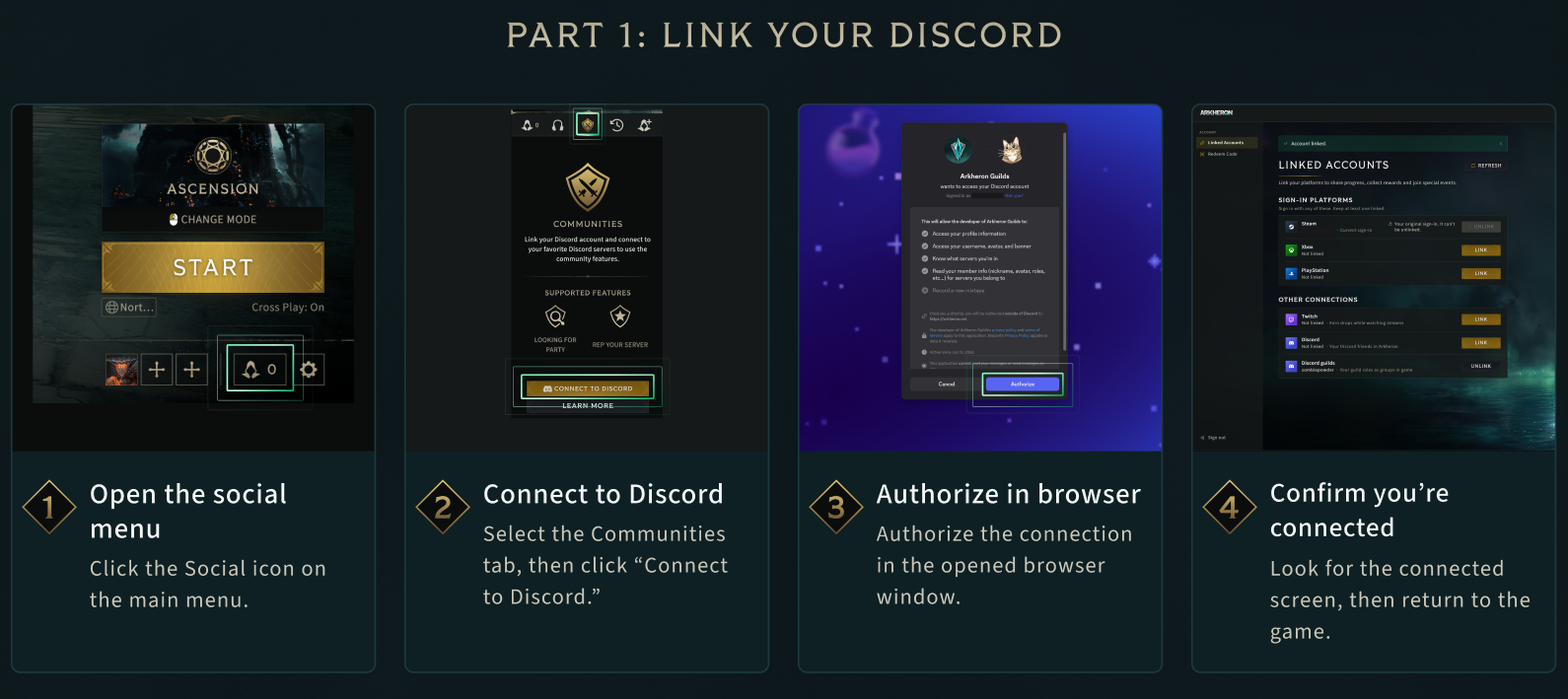
Open the Social menu. Select the Social icon on the main menu.
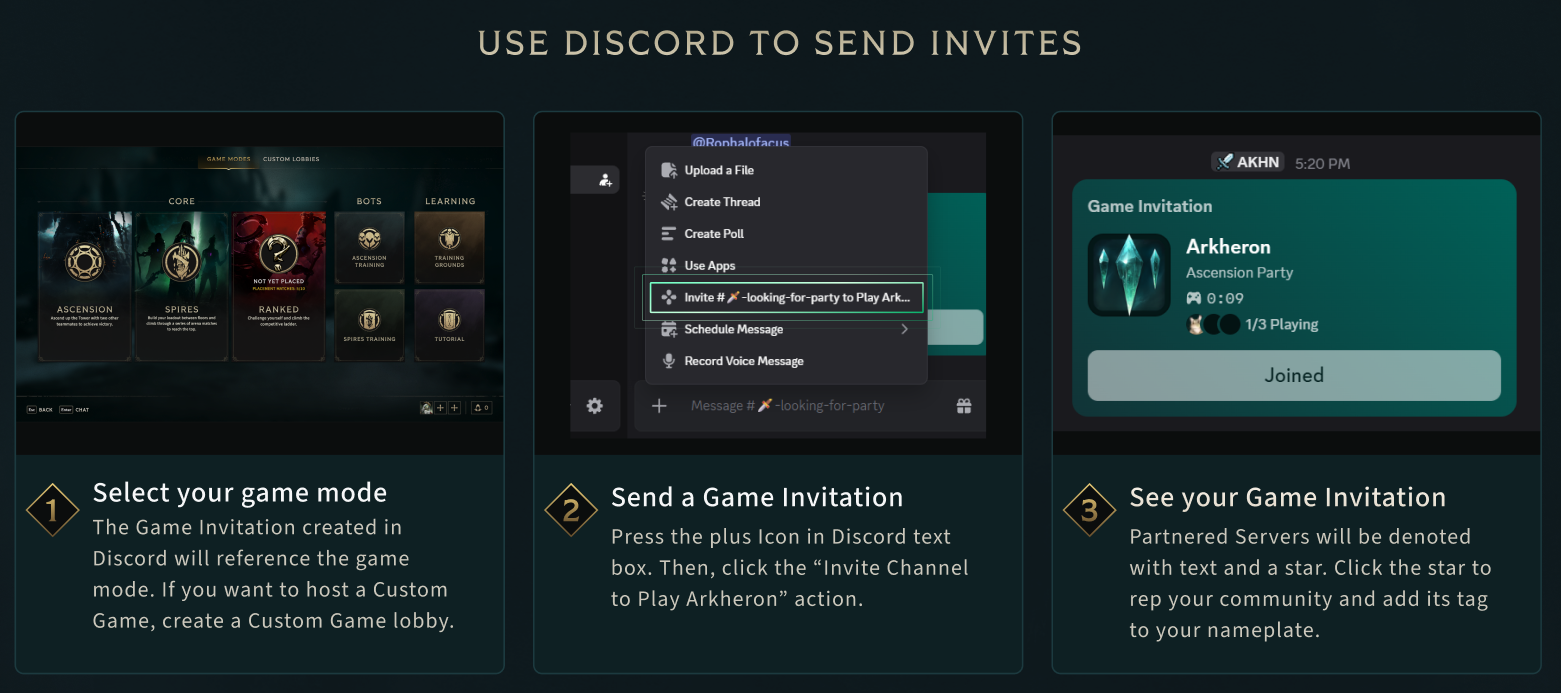
Connect to Discord. Open the Communities tab, then select Connect to Discord.
Authorize in your browser. A browser window opens. Approve the connection there.
Return to Arkheron. Once the connection is confirmed, head back to the game.
You can now choose which Discord communities you want to play with in Arkheron.
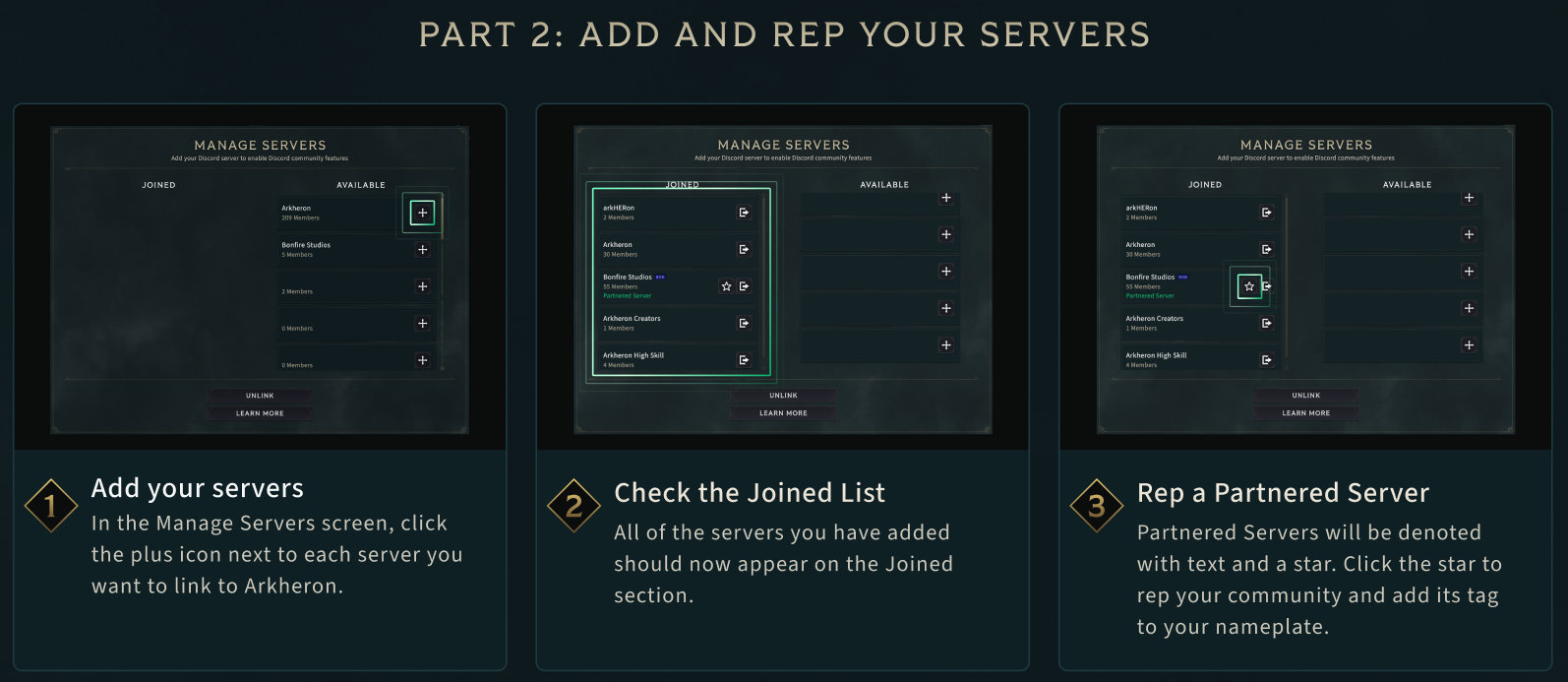
Add your servers and rep your community
You can add multiple communities, including Partner Servers and the other Discord servers you already belong to.
Add your servers. In Manage Servers, select the plus icon next to each server you want to be connected to Arkheron.
Check the Joined list. The servers you’ve selected appear under Joined.