Arkheron Builds in your AI
Connect Claude, ChatGPT or Cursor to Arkheron Builds. Your assistant searches community builds, reads every item and set bonus, and saves what it writes as a draft. You publish it yourself.
Free. Sign in with your Arkheron Builds account, no API key.
Ask. It looks it up.
Your assistant calls Arkheron Builds tools instead of guessing. Every item name, set bonus and build it mentions comes from the site.
Help me write an Ascension build around Leodin. I want to be hard to kill.
Leodin's two-piece bonus already leans tanky, so let's build on it. Here's a starting loadout:
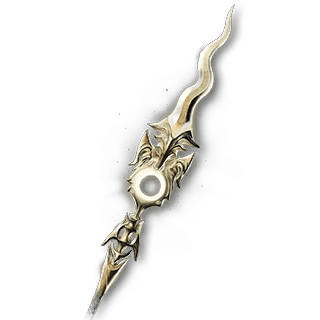 Leodin's Glint SpearWeapon
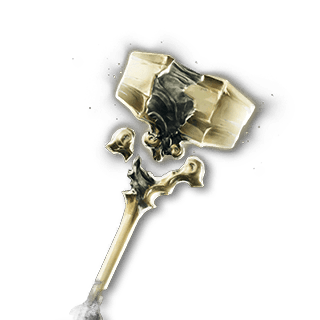 Leodin's Eclipse HammerWeapon
 Leodin's Radiant CrownCrown
 Leodin's Sanctuary AmuletAmulet
Want me to write the full guide and save it as a draft?
Connect in one minute
Pick your assistant, add the server, sign in. Works on any client that supports remote MCP servers.
- 1
In Claude, open Settings → Connectors and choose Add custom connector. Paste the server URL.
https://arkheronbuilds.com/api/mcp - 2
Sign in with your Arkheron Builds account when the browser opens. That's it.
One connection, the whole game
Your assistant reads the same live database the site runs on, plus every published community build. No copy-pasting item stats into a chat.
- Weapons
- Crowns
- Amulets
- Eternal sets
- Consumables
- Anchors
- Tags & terms
- Community builds

You stay in charge
Your assistant can read and it can write drafts. Everything that goes public still goes through you, on the site.
Drafts only
The AI never publishes. It saves a private draft and hands you the link. You review it, tweak it and hit publish yourself.
Publish it for me.
I can't publish builds. Your draft Eclipse Bulwark is saved, open it on Arkheron Builds to review and publish when you're happy with it.
Eight tools, listed
Exactly what your assistant can call. Nothing hidden.
search_buildsFind published buildsreadget_buildOpen one build in fullreadlist_itemsWeapons, crowns, amuletsreadlist_setsEternals and set bonusesreadlist_consumablesEvery consumablereadlist_anchorsEvery anchorreadlist_tagsTags and term definitionsreadcreate_draft_buildSave a private draftwrite- publish, edit, deleteNot availablenone
What it can do
And what it can't.
- Read items, sets, anchors and consumables
- Search published builds
- Save drafts to your account
- Publish a build
- Edit or delete your builds
- Vote or comment
- See other players' drafts
No API key
Sign in with the account you already use on Arkheron Builds. Nothing to generate, paste or leak.
Unplug any time
Remove the connector from your assistant and it loses access. Your builds stay exactly where they are.
Questions
Something else? Write to us.
What is MCP?
The Model Context Protocol is an open standard that lets AI assistants use tools from other services. Our MCP server gives your assistant a set of Arkheron Builds tools: search builds, read game data and save drafts.
Which assistants work with it?
Any assistant that supports remote MCP servers: Claude (web, desktop and Claude Code), ChatGPT with developer mode, Cursor, VS Code and other MCP clients.
Can the AI publish or delete my builds?
No. The only thing it can write is a new draft in your account. Publishing, editing, deleting, voting and commenting all stay on the site, done by you.
Does it cost anything?
No, the MCP server is free, like the rest of Arkheron Builds. You only need an account and an assistant that supports MCP.
What data does my assistant see?
Only what the tools return: game data and published builds, plus the drafts it creates for you. Other players' drafts never show up. We never see your conversation, only the tool calls your assistant makes.
How do I revoke access?
Remove the Arkheron Builds connector from your assistant's settings. In Claude Code, run claude mcp remove arkheron. In Cursor, delete the arkheron entry from mcp.json.